

When the Storm Passes, Will Your Business Records Still Be There?
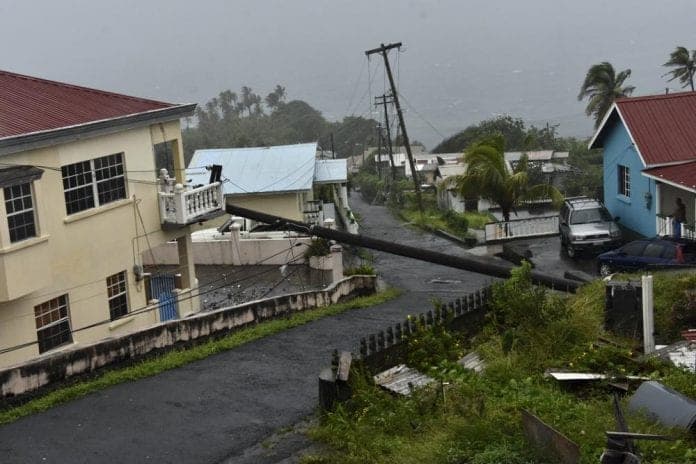
An electrical pole felled by Hurricane Elsa leans on the edge of a residential balcony, in Cedars, St. Vincent, Friday, July 2, 2021. Elsa strengthened into the first hurricane of the Atlantic season on Friday as it blew off roofs and snapped trees in the eastern Caribbean, where officials closed schools, businesses and airports. (AP Photo/Orvil Samuel)
Key Points(5)
- Pictures, equipment inventories, and purchase receipts could be needed when filing an insurance claim during a disaster.
- That being said, if floodwater damages the office computer or file cabinet where they are kept, it may be difficult to retrieve this data.
- Even after repairs have started, decisions on payroll, suppliers, and past-due customer payments might be delayed if key documentation is missing.
- Protecting important papers for small businesses in hurricane-prone locations entails more than simply making sure they are not physically damaged.
- Additionally, in the case that their usual workplace is inaccessible, owners need to have a reliable way to obtain critical information.
Pictures, equipment inventories, and purchase receipts could be needed when filing an insurance claim during a disaster. That being said, if floodwater damages the office computer or file cabinet where they are kept, it may be difficult to retrieve this data.
Even after repairs have started, decisions on payroll, suppliers, and past-due customer payments might be delayed if key documentation is missing. Protecting important papers for small businesses in hurricane-prone locations entails more than simply making sure they are not physically damaged. Additionally, in the case that their usual workplace is inaccessible, owners need to have a reliable way to obtain critical information.
The Records That Matter Most After a Storm
Not all corporate documents require the same level of protection. A restaurant may preserve years of purchase receipts, but a retail store may have file cabinets full of supplier communication. During recuperation, certain papers become far more crucial than others.
The first step is identifying which records are necessary to make decisions and resume operations. Four categories deserve particular attention:
- Insurance and property records: Policies, equipment inventories, purchase receipts, and photographs help owners document damage and support insurance claims.
- Financial records: Bank statements, payroll information, outstanding invoices, and accounting reports help establish available funds and upcoming obligations.
- Employee and supplier information: Contracts, contact details, payment terms, and work schedules help businesses communicate with the people they depend on.
- Licenses and operational documents: Permits, lease agreements, and essential operating procedures may be necessary before certain activities can resume.
Keeping original documents in one office puts them at risk if a storm damages the building. Offsite storage offers another layer of protection, especially when businesses can track records and request digital copies when needed. Services such as those available through corodata.com use barcoded tracking and on-demand scanning to help businesses locate specific files without retrieving entire boxes. Important insurance and financial records should also have separate digital backups, since access to physical documents may be delayed after a hurricane.
When working with insurance, accessibility matters most. Almost a year after Hurricane Melissa, insurers were still processing pending claims, with some instances awaiting loss assessments or repair completion. Business owners cannot control how quickly claims are settled, but comprehensive documentation lets them respond to information requests without rebuilding missing data.
A Backup Is Only Useful If You Can Reach It
Scanning documents is a useful precaution, but digital copies don't automatically protect those records.
A company might scan contracts and save everything to an office computer. If flooding damages the computer, the electronic files could become just as inaccessible as the paper originals. Even when documents are stored online, outdated passwords, incorrect permissions, or accidentally deleted files can create problems.
Cloud services such as Google Drive and Microsoft OneDrive allow authorized employees to access documents from different locations. However, file synchronization should not be treated as a complete backup strategy. Businesses also need independent backups, appropriate access controls, and a way to recover information when something goes wrong.
The U.S. Small Business Administration's hurricane preparedness guidance recommends backing up important data and ensuring that essential files can be accessed remotely if office computers or paper documents become unavailable.
A practical approach involves maintaining digital copies of critical records, keeping a separate backup, and storing important originals away from the main premises.
Access matters just as much as storage. If only one employee knows the credentials for a document management account, other staff may be unable to retrieve information when that person is unavailable. Businesses should assign appropriate permissions to trusted employees and use multifactor authentication to protect sensitive records.
Prolonged power and internet outages introduce another challenge. Keep a limited set of essential contact details and emergency reference information available through a secure offline method. This lets employees coordinate with suppliers, insurers, and other key contacts before normal services return.
Maintaining multiple copies isn't enough. Authorized employees must also be able to retrieve accurate information without exposing confidential business or customer records.
Test Your Recovery Plan Before You Need It
A recovery plan may look complete on paper until someone attempts to use it. An owner might discover that a former employee controlled the cloud account, an important insurance document was never scanned, or the latest financial backup is several months old.
These problems are easier to correct before a hurricane than during an emergency.
One useful exercise is to assume that business premises are inaccessible for several days. From another location, a designated employee should try retrieving insurance policies, current supplier contacts, recent payroll information, and outstanding customer invoices.
The exercise should establish whether employees can access the required files without using an office computer. It should also confirm that documents are current, authorized staff can restore information from a backup, and essential contacts remain available during an internet outage.
Correct missing information and document recovery procedures so another responsible employee can follow them. Testing again after changes to staff, software, or storage arrangements helps prevent outdated instructions from becoming another obstacle.
Additionally, companies should identify which documents change frequently. These can include employee departures, supplier agreements, and insurance coverage renewals or modifications. When the organization most needs accurate records, a backup made months ago may not reflect these changes, leaving it with inadequate information.
Document protection cannot restore lost inventory or stop physical harm. However, when owners already face tough financial and operational decisions, it can remove certain administrative obstacles.
Repairing the building is only one part of recovery for a company trying to reopen after a catastrophe. To resume business operations, you need insurance information, financial documents, supplier agreements, and personnel details. Identifying these records, safeguarding them in multiple locations, and testing access before a storm can make recovery easier.