
How to Stay Connected While Traveling Across the Caribbean
Key Points(5)
- A Caribbean trip can involve more border crossings than it first appears.
- You might land in Jamaica, continue to Saint Lucia, spend a few days in Barbados, and finish in Trinidad.
- Each stop may place your phone on a different mobile network, even though the distances look small on a map.
- That is why staying connected across the Caribbean takes more planning than visiting one island.
- The aim is not to stay online constantly.
A Caribbean trip can involve more border crossings than it first appears. You might land in Jamaica, continue to Saint Lucia, spend a few days in Barbados, and finish in Trinidad. Each stop may place your phone on a different mobile network, even though the distances look small on a map.
That is why staying connected across the Caribbean takes more planning than visiting one island. The aim is not to stay online constantly. It is to have maps, tickets, messages, and booking details available when plans change.
Plan Around Every Stop on Your Route
The Caribbean is a region, not a single mobile market. A roaming package that works in one country may not cover the next island on your itinerary.
Before leaving home, list every country and territory you expect to visit, including cruise ports and ferry stops. This matters because island-hopping by ferry or regional flight can move you between separate networks in a matter of hours.
Check the coverage list rather than relying on a plan labeled simply “Caribbean.” Smaller territories are sometimes excluded.
Check Your Home Carrier First
Your existing mobile plan may still be the easiest option. Some US carriers include selected Caribbean destinations, while others charge a daily international fee or sell a travel pass.
The Federal Communications Commission recommends checking international roaming rates before departure, since domestic allowances may not apply abroad and rates can vary according to the foreign network your phone uses.
Find out which islands are covered, how much high-speed data is included, and whether the daily fee is charged whenever the phone connects. A pass that seems reasonable for a weekend can become expensive during a two-week trip.
Local SIM or Regional eSIM?
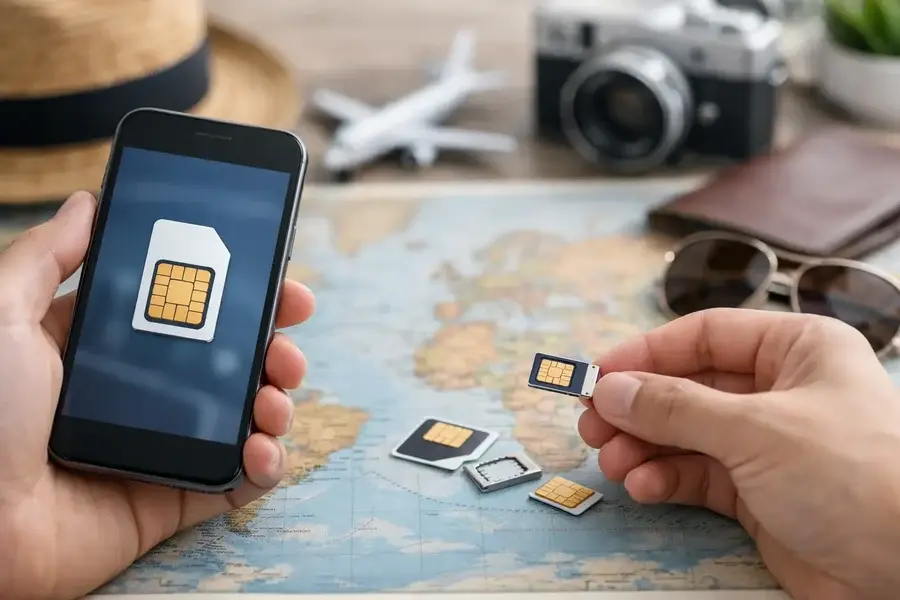
A local SIM can work well when most of the trip is spent in one country. It may provide a local number and domestic rates, but it also means finding a store and managing your regular SIM.
That becomes less convenient when the itinerary covers several islands.
For travelers who mainly need data, a regional eSIM for the Caribbean can keep the same digital profile in place across supported destinations. WonderConnect’s regional option is data-only, so it does not provide a local number for ordinary calls or text messages. Apps such as WhatsApp, FaceTime, and Messenger can still use the connection.
A regional plan is only useful when every important stop is covered. Compare the destination list with your route before purchasing.
Set It Up Before You Fly
An eSIM is a digital SIM profile added to a compatible device. The GSMA explains how eSIM technology allows mobile profiles to be downloaded remotely without inserting a removable card.
Install the profile at home while you have reliable Wi-Fi. Confirm that your phone supports eSIM technology and is carrier-unlocked. Label the line “Caribbean Data” so it is easy to recognize later.
After landing, select the travel eSIM for mobile data and make sure your home SIM is not using international data in the background.
Data Matters Most Between Destinations
Hotels and resorts usually make Wi-Fi easy. The awkward moments happen between them: finding a ferry terminal, messaging a driver, checking a gate change, or locating accommodation after dark.
A complicated itinerary is easier to manage when flights, ferries, hotel locations, and weather changes are planned together. The need for current information becomes clearer as regional airline partnerships create more connections across the Caribbean.
Signal may fade on open water or in mountainous areas, so mobile data should support the trip rather than become its only source of information.
Use Wi-Fi Carefully and Save Essentials Offline
Public Wi-Fi can help conserve data, but it may not be available when you need it. The Federal Trade Commission advises travelers to look for encrypted connections, keep devices updated, and protect accounts with strong passwords and two-factor authentication.
Download offline maps before leaving the hotel. Screenshot ferry confirmations, boarding passes, addresses, and important phone numbers. Save enough information to reach the next stop even if the signal disappears.
Choose the Setup That Follows Your Trip
For one island, your home carrier or a local SIM may be enough. For several destinations, a regional plan can reduce the need to change SIMs or buy separate data packages.
The best choice depends on your route, trip length, phone compatibility, and typical data use. Decide before departure, check every destination individually, and keep offline backups.
Then the phone can handle the practical details quietly while you focus on the places, people, and time away.